
A simpler repo.ing: buy or launch
Two doors, a three-step launch and one list for everything you’re owed: here is what changed this week, before and after.
repo.ing does a lot, and it had started to show. This week we cut it down to two doors: Buy a coin, or Launch one. Pages got shorter, words got plainer, and everything you’re owed is now in one list.
Drag the line on each picture to compare before and after, or focus it and use the arrow keys. The pictures come from a test copy of the site, so some coin images are blank and the figures are hidden.
Two doors: Buy or Launch
- The bar is Coins, Launch, $REPOING and More. Explore is now called Coins. On a phone the same links sit in the bottom bar.
- More has 8 links, down from 14. It fits a small phone without scrolling.
- The footer folds on phones. Tap a heading to open its links.
- Every info page ends the same way: Buy a coin, or Launch a coin.
Coins on a phone
375 px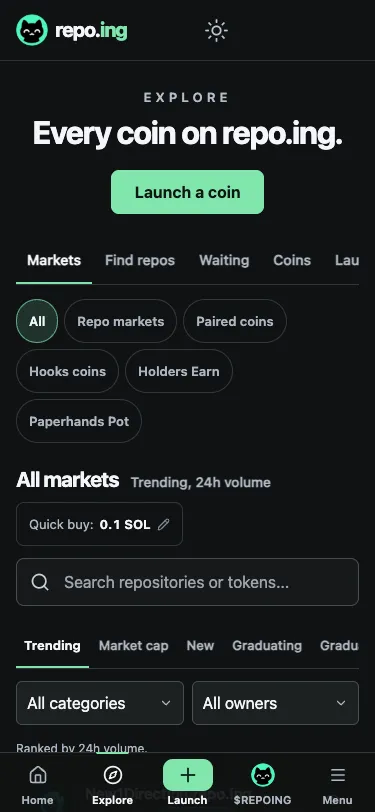
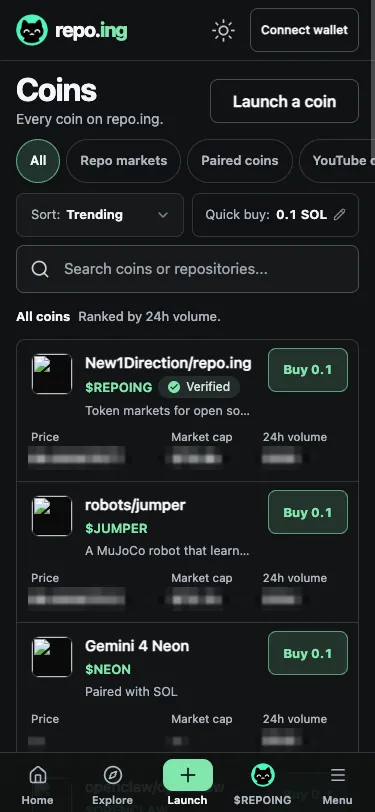
- Explore is now called Coins.
- Coins start on the first screen.
- Each row: price, market cap, 24h volume, one Buy.
Every row on Coins and on the home page reads the same: price, market cap and 24h volume first, then one Buy. The home page’s headline is two lines now, so the first Buy is on the first screen of a phone.
A coin page on a phone
375 px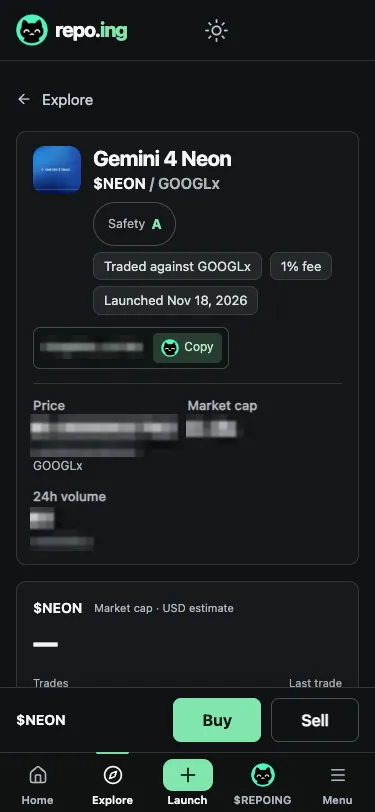
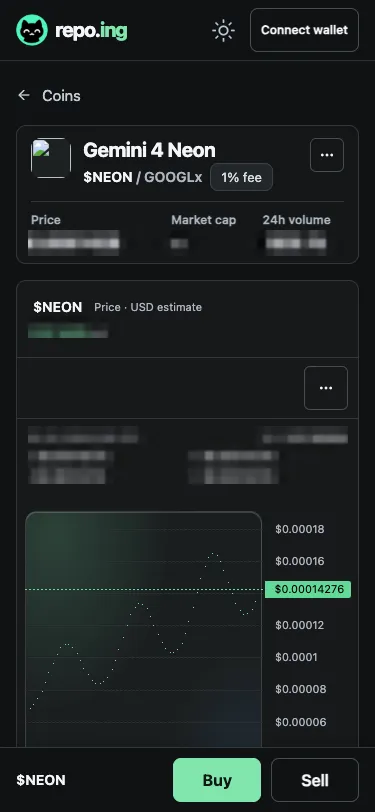
- A paired coin’s header: 367 px to 139 px.
- The chart is on the first screen.
- Share and one menu hold the rest.
Coin pages lead with Buy. On a phone, a repo coin’s header card went from 425 px to 181 px, and a paired coin’s from 367 px to 139 px. Each has three tabs: Trades, Holders and About. One Safety card holds the grade, three plain lines and the full report.
Guided launch
Paste a GitHub or YouTube link on /launch. repo.ing works out what kind of coin it is and shows you the coin before you sign anything. No link? Pick Your own coin or A coin with rules.
/launch on a phone
375 px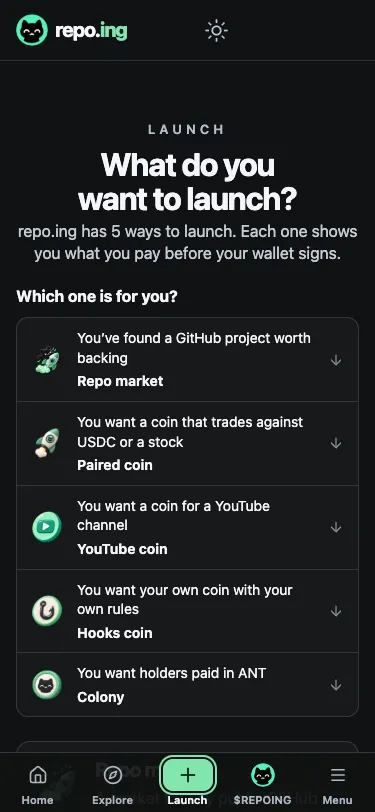
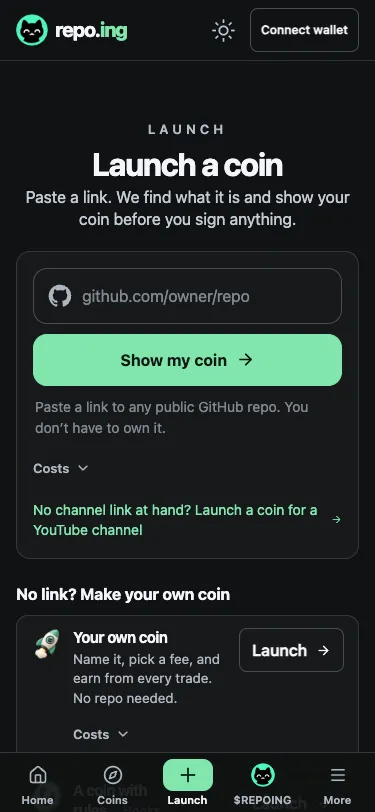
- One box takes a GitHub or YouTube link.
- repo.ing works out the kind of coin.
- No link? Make your own coin.
Every launch is now three steps: Your coin, Check and launch and Live. Tap a step to see it.
Launching a repo coin, step by step
3 steps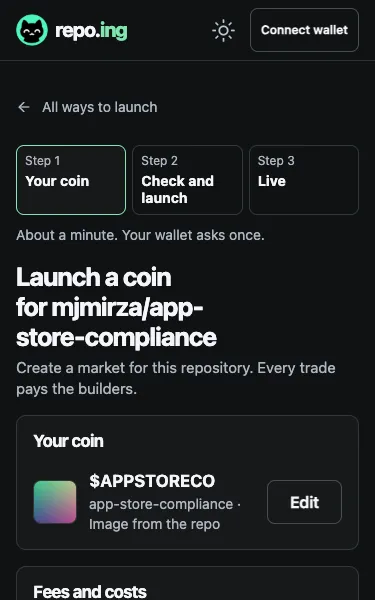
Step 1: Your coin The ticker, name and image come from the repo. Change them, or press Check and launch. 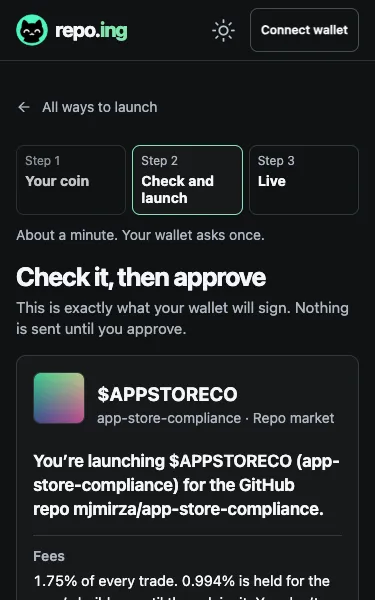
Step 2: Check and launch One plain card: what you are launching, the fees and who gets them, and what you pay. Then your wallet asks once. 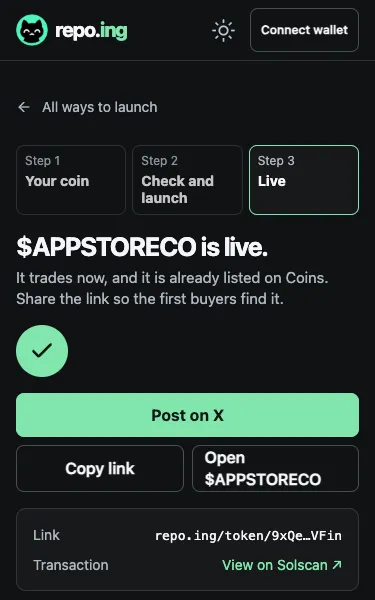
Step 3: Live Your coin is live. Post on X comes first, so the first buyers find it.
Check and launch opens on one plain card: what you are launching, the fees and who gets them, and what you pay. Every number is still there, one tap down. Here is that step for a repo coin, before and after.
Checking a repo launch
375 px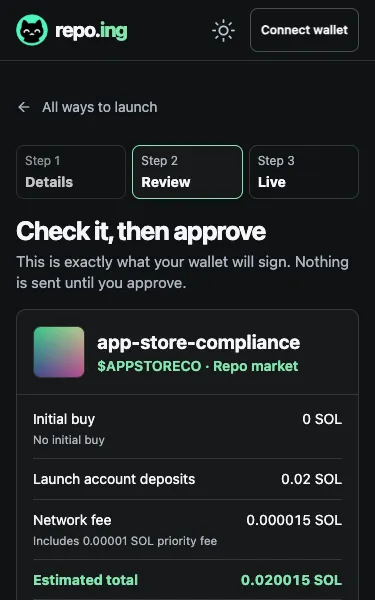
- One sentence says what you launch.
- The fees, and who gets them.
- What you pay, before you sign.
- Your coin comes first, filled in for you. A repo coin takes its name, ticker and image from the repo. Change them, or go on.
- YouTube coins start with the channel. Paste its link, and repo.ing looks it up and suggests a name and ticker you can change. The channel’s share of the fees is held for its owner. Payouts are not open yet.
- Fees fold under one line, like “1.75% per trade, about 0.025 SOL to launch”. Open it to see who gets what.
- Each step says how long it takes and how many times your wallet will ask.
- Live leads with Post on X, so the first buyers find your coin.
Everything you’re owed, in one list
The new Claim tab at /claim puts it on one page: “Everything you’re owed, in one list.” Connect a wallet or sign in with GitHub, and it sorts what it finds under Ready to claim, Needs one step and Held for you.
- Builder fees for a repo and creator fees for a Hooks coin, each with one Claim button.
- Fees held for a YouTube channel. Payouts are not open yet, so they wait for the channel’s owner.
- Paid to you automatically. Referral earnings and paired coin shares go straight to your wallet as people trade. There is nothing to claim.
Hooks: who gets the fee
The Hooks form asks about the fee once. Who gets it has four answers: You, Holders, Burn or Split. Paperhands Pot and Auto-burn are now Blocks, added the same way as the rest. Hooks coins trade on repo.ing.
Buy in one tap, and with SOL
Set your Quick buy amount once, then buy from any row on Coins or the home page with one tap. Your wallet still asks before anything is sent.
Paired coins are priced in USDC, a stock or another token. You can now buy one with SOL, and sell it back to SOL, in one transaction.
New pairs
ANT, Anthropic’s stock token from Backpack, is open. You can launch your own coin priced in ANT.
Twelve meme coins are open as pairs too: PIPPIN, TRUMP, VINE, USELESS, PENGU, BIRB, FARTCOIN, NEET, SPX6900, BOME, TROLL and BAN. Launch a coin priced in any of them.
Builders paid right
/waiting lists repos whose builders have fees waiting for them. It now shows exactly what the claim page pays, so the two always agree. It opens on the top 10, one action each, with the rest under Show all.
Simpler pages don’t make a coin safer. Few coins graduate, and any coin can go to zero. Buy only what you can afford to lose.
← → arrow keys move between posts